Set the mood. Mark the moment. Bring the music.

Sonopley controls your Sonos speakers from Windows and iPhone, right on your home network — and adds three things of its own.

Only in Sonopley

Moments set the mood in one go.

A moment is a part of your day with its own sound — cooking, dinner with friends, a workout. It remembers which rooms play together, how loud each one is, and what to put on. Start it, and Sonopley groups the rooms, sets every volume and starts the music.

The first time Sonopley reads your Sonos system, the Moments page suggests up to three moments made from your own groups and Sonos favourites: Keep the ones you like — nothing plays until you start one. Save the group you are listening to as a moment, or add an album, a playlist or a radio station to one straight from Browse. Start one and it says so at once — “Starting the moment…”, then “Started” — and however long its list, the music starts straight away. Drag your moments, their rooms and their music into the order you want. A new moment starts from the group you have selected: its rooms are already ticked, and the songs in its queue become the moment's music.
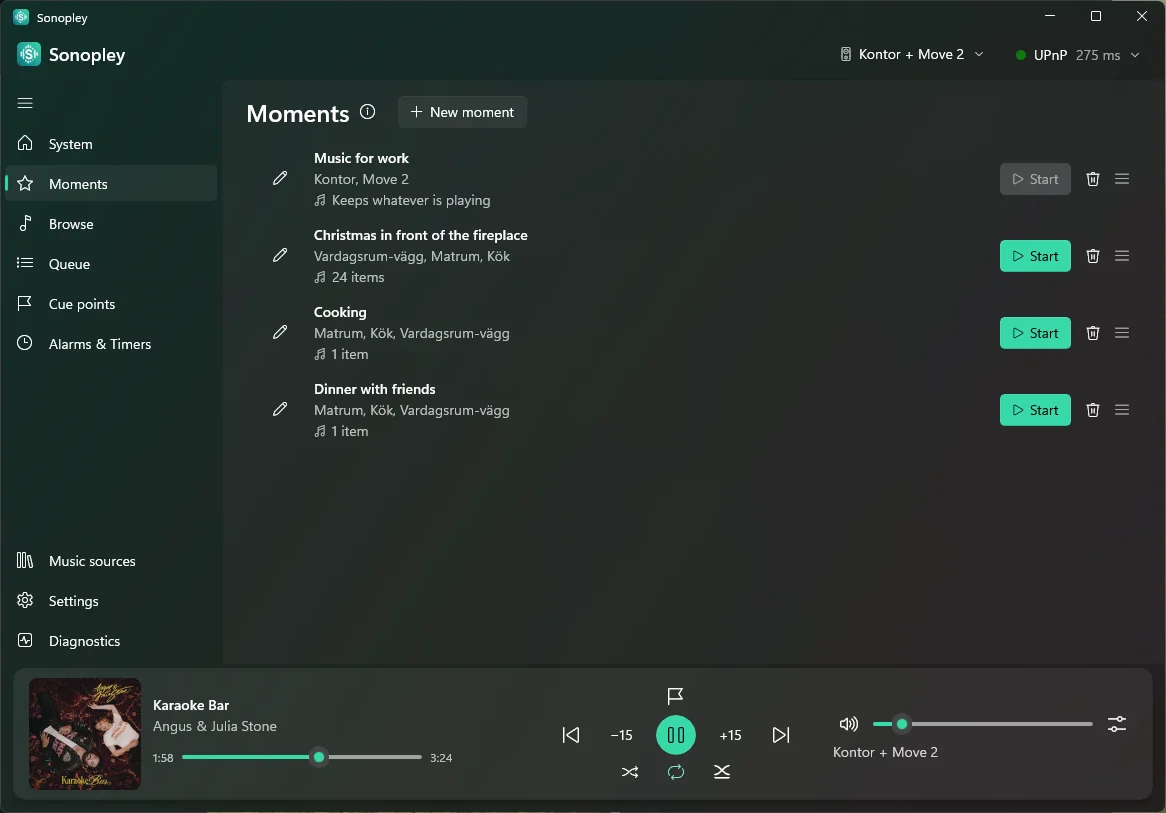
Moments on Sonopley for Windows
Only in Sonopley

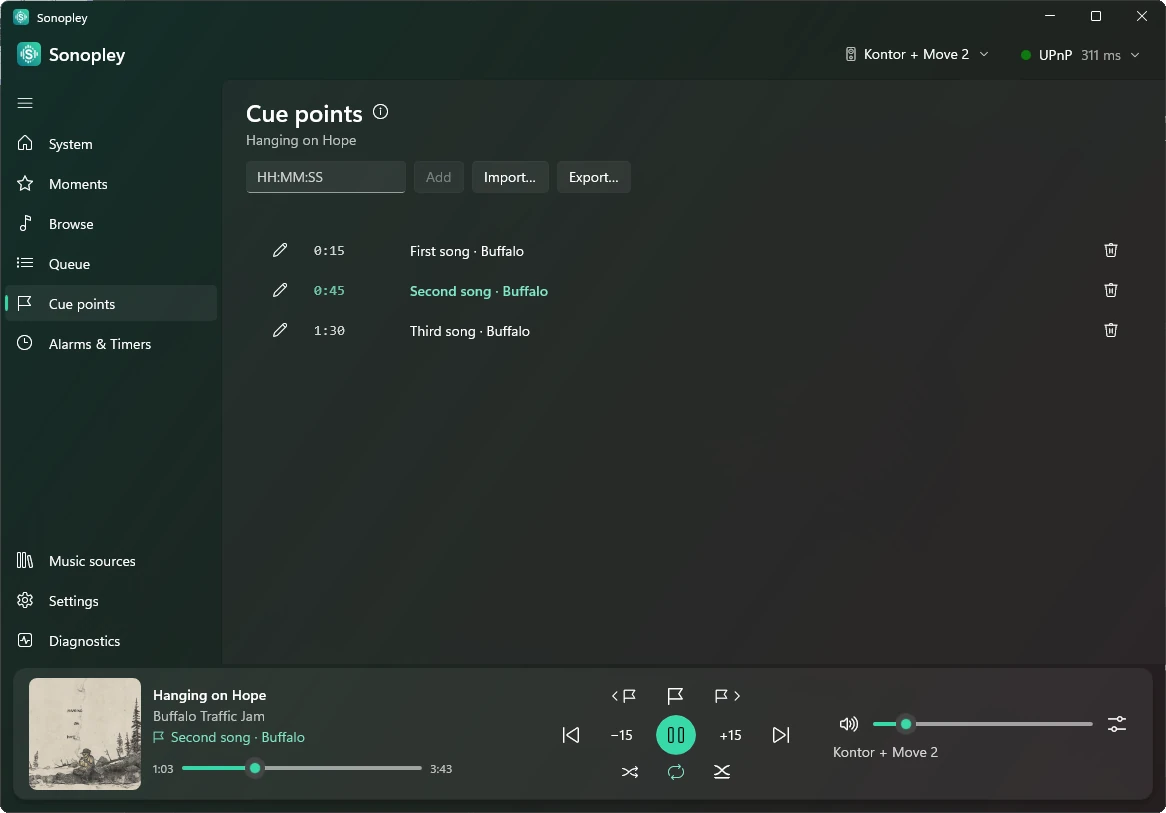
Cue points mark the song.

Mark a place in a long track — a DJ mix, a live set, an audiobook — and come back to it. Step from mark to mark like the tracks on a CD, and see which part is playing.

Name a part, and jump to it in one go. Already have cue sheets? Bring them in, and Sonopley merges them with your own marks.

Cue points on Sonopley for Windows
Only in Sonopley

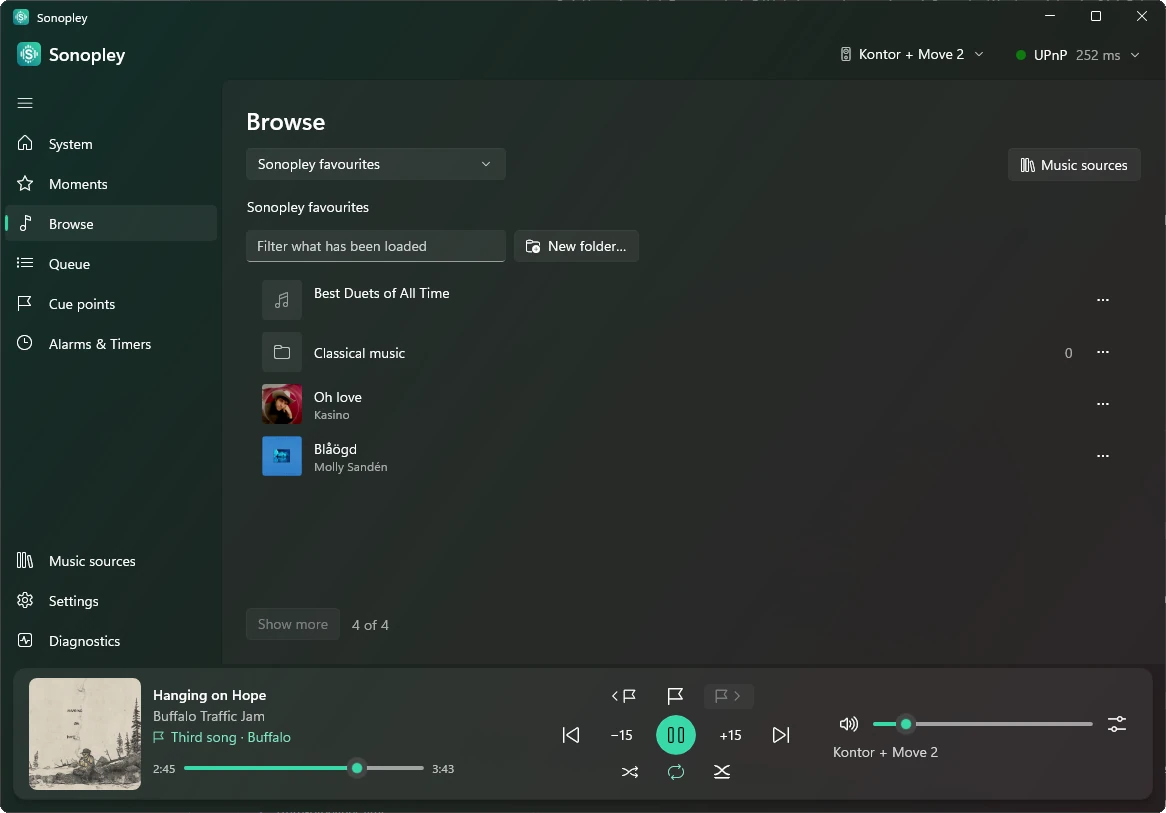
Sonopley favourites bring the music.

Your own favourites — songs, albums, playlists and radio stations — in folders within folders, kept on your phone or computer rather than in one Sonos household. Visiting a friend? Join their Wi-Fi, open your favourites and play on their speakers.

Play a whole folder in order, subfolders included. Songs from a music service play at a friend's when their Sonos has that service too.

Sonopley favourites on Sonopley for Windows

And everything you would expect

Rooms and groups, the queue, volume that keeps your rooms in step, bass, treble and night mode, music services, alarms and the sleep timer — on both apps, in nine languages. And a simple mode of big buttons and plain words for anyone who finds apps fiddly.

See every feature

Your speakers, your network

Sonopley talks straight to your speakers at home. No Sonopley account, no Sonopley server, and nothing about you collected.

How it works