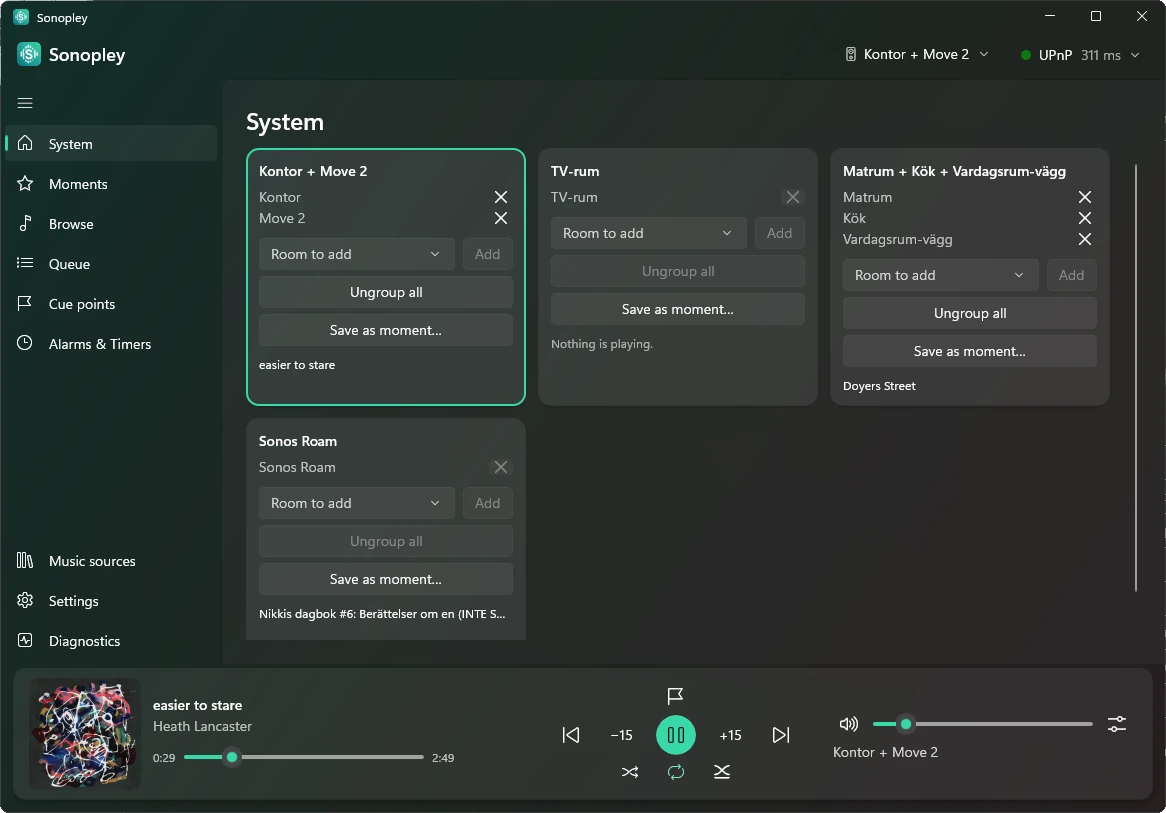
A pane for every place
Your speaker groups, moments, Browse, the queue, cue points, alarms, music sources, speaker settings and app settings are one click away in the pane down the side. Speaker groups shows a portable speaker's battery beside its room, with a mark while it charges.
Double-click to play
Double-click a song, a queue row, a moment or a cue point to play it, or a group to open its queue.
Right-click for more
Right-click a song for Play now, Play next, Add to end of queue, or adding it to a moment or your favourites.
Type a cue point's time
Add a cue point at an exact time by typing it, down to the second.
Filter what you browse
Narrow a long list to what you are looking for by typing a few letters.
A simple mode too
Switch on simple mode in App settings and the window becomes big tiles for your moments and a few large buttons. More on the Features page.
Greyed buttons explain themselves
Hover over a button that cannot be used right now and it tells you why.